Advisor Role Code
| Definition |
|---|
|
The code for the role of the academic advisor. |
| Data Cookbook URL (requires authorization) |
| https://uwmadison.datacookbook.com/institution/terms/217324/versions/257246 |
| Data Domain(s) |
| Advising |
Related Dashboards
| Name | Type | Description | Responsible Office | Data Domain | Classification | Access Restrictions | Last Updated |
|---|---|---|---|---|---|---|---|
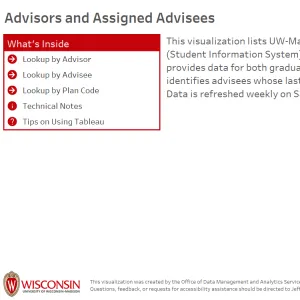
Advisors and Assigned Advisees
|
Interactive Data Visualization | Lists UW-Madison advisors designated in SIS and the advisees assigned to them. Graduate and undergraduate advisees can be filtered by Plan, Career, Award Category, Advisee Program and Last Term Enrolled. Additional Info | Data, Academic Planning & Institutional Research | Advising, Student Record | Restricted |
Placeholder
Request Access |
07/16/2024 |
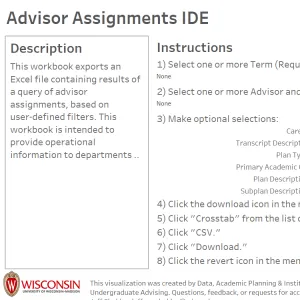
Advisor Assignments IDE
|
Institutional Data Exporter (IDE) | This IDE provides a list of advisors and their assigned advisees based on user-set filters. Accessible data span the current term, the previous two terms, and one future term for students who were active/enrolled in the term(s) selected. Additional Info | Data, Academic Planning & Institutional Research | Advising, Student Record | Restricted |
Placeholder
Request Access |
08/05/2024 |
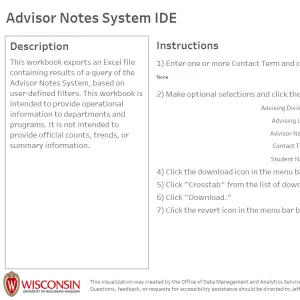
Notes in Advising Gateway IDE
|
Institutional Data Exporter (IDE) | This workbook exports an Excel file containing the results of a query of the Notes in Advising Gateway System. Users can set filters/limits to obtain the metadata around documented contacts entered into the system for a desired population of students or an individual student based on the filters selected. Additional Info | Data, Academic Planning & Institutional Research | Advising, Student Record | Restricted |
Placeholder
Request Access |
11/13/2025 |
|
Advisor Semester-Based Reports
|
Interactive Data Visualization | This Tableau visualization provides advisors with semester-based student information to support advising, student monitoring, and program management.Each tab is most useful at different points in the semester, as indicated below.[● PRE-SEMESTER] Student Status Overview: Detailed information for enrolled students, including enrollment status, student characteristics, most recent academic action, holds, and graduation indicators. [● PRE-SEMESTER] Unenrolled Students Tracking: Students enrolled in the prior term who did not graduate and are not currently enrolled or withdrew. Tooltips show prior-term information. [● PRE-SEMESTER] Advisor Assignment Review: Student information alongside advisor details (role code, advising level) to review assignments and identify students missing an assigned advisor.[● PRE-SEMESTER] Course Enrollment Overview: Course enrollment details with a heatmap of popular class meeting times. [● MID-SEMESTER] Enrollment Status: Compares current enrollment to the 10th day census to identify credit drops and full-time to part-time changes.[● MID-SEMESTER] Midterm Grade Overview: Students with midterm grades. New freshmen may receive temporary grades during their first two terms. [● POST-SEMESTER] Final Grade Overview: Students with final grades for the selected term. [● POST-SEMESTER] Semester Outcomes Summary: End-of-term summary including drops, term GPA, cumulative GPA, and Dean’s honors. [● POST-SEMESTER] Recent Bachelor’s Graduates: Students awarded a bachelor’s degree in the selected term. Additional Info | Data, Academic Planning & Institutional Research | Student Record | Restricted |
Placeholder
Request Access |
09/15/2026 |