Service Indicator
| Definition |
|---|
|
Service Indicator is a marker applied to a student's record that is used to either provide (positive) or limit (negative) their access to services. Negative impacts may include limiting access to enrollment, student financial aid, refunds, and records. |
| Data Cookbook URL (requires authorization) |
| https://uwmadison.datacookbook.com/institution/terms/300695/versions/361121 |
| Data Domain(s) |
| Student Record |
| Data Systems |
| InfoAccess |
Related Dashboards
| Name | Type | Description | Responsible Office | Data Domain | Classification | Access Restrictions | Last Updated |
|---|---|---|---|---|---|---|---|
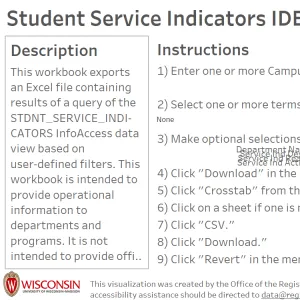
Student Service Indicators IDE
|
Institutional Data Exporter (IDE) | This workbook exports an Excel file containing results of a query of the STDNT_SERVICE_INDICATORS InfoAccess data view based on user-defined filters. Additional Info | Office of the Registrar | Student Record | Restricted |
Placeholder
Request Access |
03/27/2024 |
|
Student Enrollment Appointment IDE
|
Institutional Data Exporter (IDE) | The exported data include student information like ID, program, plan, subplan, service indicator, email address, and service indicators. The workbook includes the current term and will populate future terms when students have been assigned an enrollment appointment in that future term. It is updated once per day, so changes to enrollment appointment, major, service indicators, etc. will not be immediately captured. Additional Info | Office of the Registrar | Student Record | Restricted |
Placeholder
Request Access |
03/19/2025 |
|
Student Course Enrollment Status
|
Interactive Data Visualization | This tool compares degree-seeking undergraduate students enrolled in a starting term with their enrollment status for the next fall or spring term. The dashboard logic automatically updates based on the current date to provide the enrollment status for the most relevant Fall or Spring term. Additional Info | Data, Academic Planning & Institutional Research | Advising, Student Record | Restricted |
Placeholder
Request Access |
01/30/2026 |
|
Advisor Semester-Based Reports
|
Interactive Data Visualization | This Tableau visualization provides advisors with semester-based student information to support advising, student monitoring, and program management.Each tab is most useful at different points in the semester, as indicated below.[● PRE-SEMESTER] Student Status Overview: Detailed information for enrolled students, including enrollment status, student characteristics, most recent academic action, holds, and graduation indicators. [● PRE-SEMESTER] Unenrolled Students Tracking: Students enrolled in the prior term who did not graduate and are not currently enrolled or withdrew. Tooltips show prior-term information. [● PRE-SEMESTER] Advisor Assignment Review: Student information alongside advisor details (role code, advising level) to review assignments and identify students missing an assigned advisor.[● PRE-SEMESTER] Course Enrollment Overview: Course enrollment details with a heatmap of popular class meeting times. [● MID-SEMESTER] Enrollment Status: Compares current enrollment to the 10th day census to identify credit drops and full-time to part-time changes.[● MID-SEMESTER] Midterm Grade Overview: Students with midterm grades. New freshmen may receive temporary grades during their first two terms. [● POST-SEMESTER] Final Grade Overview: Students with final grades for the selected term. [● POST-SEMESTER] Semester Outcomes Summary: End-of-term summary including drops, term GPA, cumulative GPA, and Dean’s honors. [● POST-SEMESTER] Recent Bachelor’s Graduates: Students awarded a bachelor’s degree in the selected term. Additional Info | Data, Academic Planning & Institutional Research | Student Record | Restricted |
Placeholder
Request Access |
09/15/2026 |